FLASH SALE: Save $50 off all colors of Ultra Open Earbuds. Buy now
No Image

Lorem ipsum dolor sit amet, consectetur adipiscing elit, sed do eiusmod tempor incididunt ut labore et dolore magna aliqua. Ut enim ad minim veniam, quis nostrud exercitation ullamco laboris nisi ut aliquip ex ea commodo consequat. Duis aute irure dolor in reprehenderit in voluptate velit esse cillum dolore eu fugiat nulla pariatur. Excepteur sint occaecat cupidatat non proident, sunt in culpa qui officia deserunt mollit anim id est laborum.
Setss
Soundbar 900 + Noise Cancelling Headphone 700
Current Price is: $838.50
Original Price is: $1,278.00
Set includes::

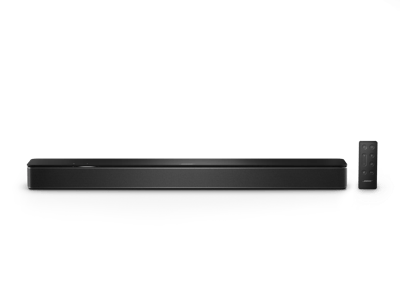
Bose Smart Soundbar 900
Immerse yourself in sound. The Bose Smart Soundbar 900 with Dolby Atmos® delivers theater-like realism like no other. Exclusive Bose technologies and upfiring transducers deliver wide, spacious sound, and realistic overhead effects for a full 360-degree experience.
Nine speakers effortlessly elevate your content by separating instruments, dialogue, and effects, and placing them in discrete parts of the room. All this in a sleek cabinet that fits seamlessly into your home.
Save $250 while supplies last.

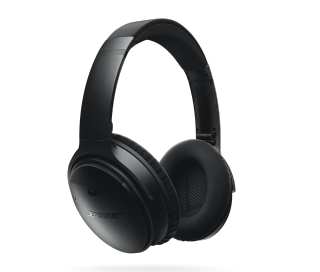
Bose Noise Cancelling Headphones 700
The sweet sound of better silence. The Bose Noise Cancelling Headphones 700 are packed full of all the features you need for superior sound and premium quiet — including 11 customizable levels of noise cancellation with situational awareness for when you want to let the world in.
Test
4 Interest-free installments with Klarna or Afterpay.
Learn more
Lorem ipsum dolor sit amet, consectetur adipiscing elit, sed do eiusmod tempor incididunt ut labore et dolore magna aliqua. Ut enim ad minim veniam, quis nostrud exercitation ullamco laboris nisi ut aliquip ex ea commodo consequat. Duis aute irure dolor in reprehenderit in voluptate velit esse cillum dolore eu fugiat nulla pariatur. Excepteur sint occaecat cupidatat non proident, sunt in culpa qui officia deserunt mollit anim id est laborum.
Soundbar 900 + Noise Cancelling Headphone 700
Current Price is: $838.50
Original Price is: $1,278.00
Product details
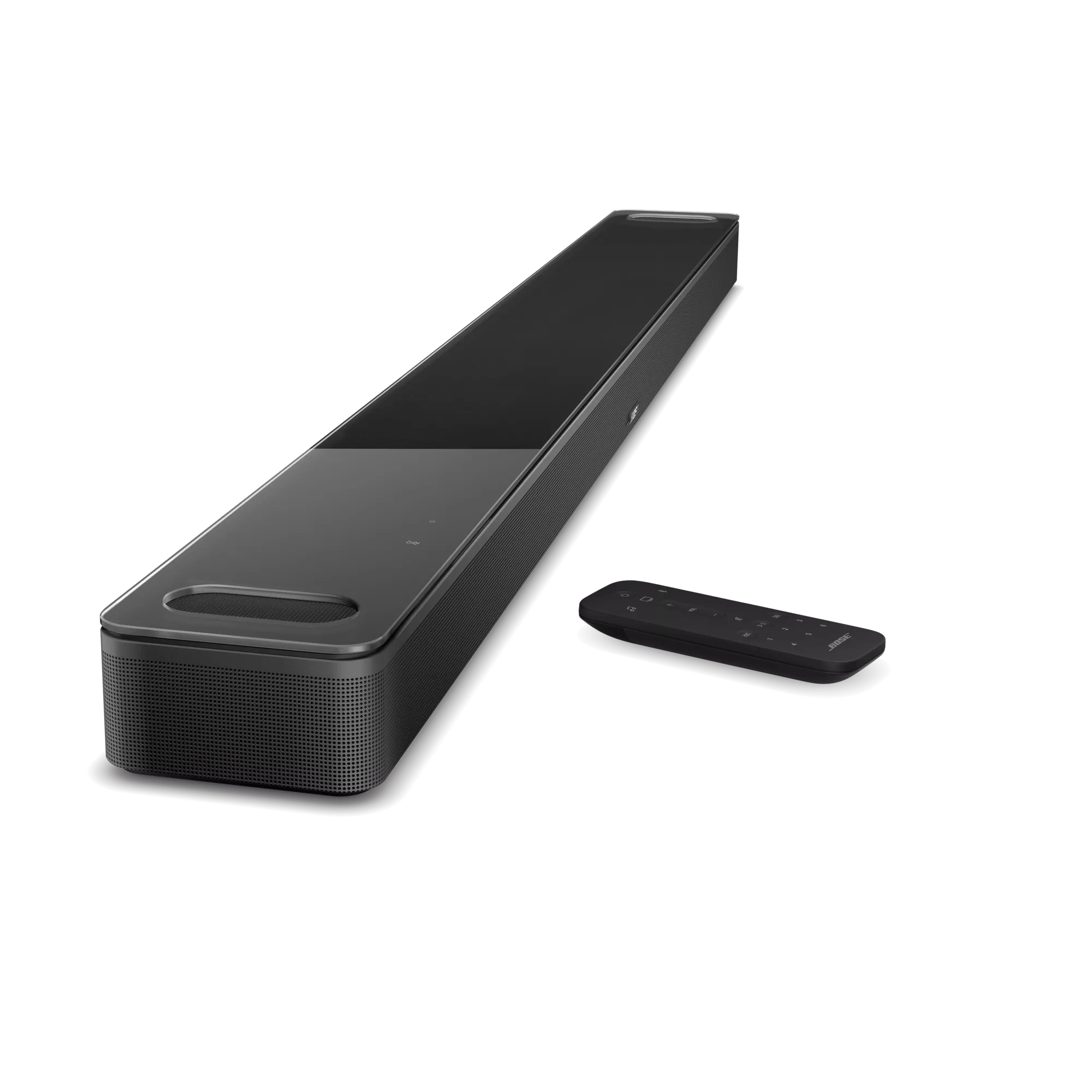
What’s in the Box
- Bose Smart Soundbar 900
- Remote control with 2 AAA batteries pre-installed
- ADAPTiQ headset
- Optical cable
- HDMI cable
- Power cord
- Quick start guide
The simplest way to connect the Soundbar is via the supplied HDMI cable to your TV. If your TV has an HDMI-eARC connection, you should use that connection to get the benefit from Dolby Atmos encoded content. If your TV does not have an HDMI connection, then you should connect the Soundbar to the TV using the optical cable (also supplied with the Soundbar).
No. All sources must be connected to the TV and then a single connection (via the HDMI or optical cable) must be made from the TV to the soundbar.
Yes. Bose Voice4Video technology and Alexa voice control* give you more control of our soundbars using just your voice. In addition to controlling your soundbar, you can control your TV and cable or satellite box. This lets you turn on your TV, switch to the correct input and jump to your favorite station all with one simple Alexa voice command: “Alexa, watch channel 24.”
*Voice services may vary and may not be available in all languages and countries.
Press the Bluetooth source button on the remote control. The light bar on the soundbar pulses blue. Ensure your mobile device is in pairing mode and select the Bose Smart Soundbar 900 from the list. You also can pair your mobile device to the soundbar using the Bose Music app.
Your Bose smart soundbar will sound great in almost any environment. But to get the best possible performance, be sure you do not put it in an enclosed/recessed cabinet or cover the side or upward firing transducers.
Yes. You can group any of our smart speakers and soundbars together for multi-room listening using the Bose Music app. This way, you can fill your whole home with music — either synchronized, or different music in different rooms.
Yes. The Bose Soundbar Wall Bracket (sold separately) lets you mount the soundbar to the wall.
ADAPTiQ is part of the overall setup process and driven through the Bose Music app. You will be prompted to run ADAPTiQ after you download the Bose Music app and start the setup process. If you skip running ADAPTiQ during the initial setup process — or change your room significantly or add bass module(s) or surround speakers after initially running ADAPTiQ — you can go back into the app and do it again. Initiate ADAPTiQ and follow the prompts in the app.
Yes. It can be controlled by third-party remote controls that include the set of Bose commands.
No. However, using SimpleSync technology you can wirelessly connect our most popular Bose headphones with the soundbar using a Bluetooth connection. This connection can be setup through the Bose Music app. For the full list of compatible headphones, see the Using groups article on our Support site.
Yes. The Bose Soundbar 900 use presets via the Bose Music app and the remote control.
Yes. Simply say, “Alexa, turn off [speaker name].” or “Hey Google, turn off [speaker name],” This action will stop any content playing, turn off any lights on the light bar, and disconnect Bluetooth devices. Alexa or Google Assistant will still listen for voice commands in standby mode.
Yes. Using Alexa only, you can directly call other Bose smart products, Amazon Echo products, and anyone in your contacts list. Simply say, “Alexa, call Mom,” to initiate a call. Or say “Alexa, answer,” to accept an incoming call. You do not need your phone to make or take a call, and it’s free of charge. However, when calling products, both parties are required to have this feature set up in order to use and be on Wi-Fi.
Yes. Bass can be controlled in the Bose Music app.
Yes. The Bose Smart Soundbar 900 and the Bose Bass Modules all use the same wireless protocols and can be mixed and matched. However, the design language and materials of the Smart Soundbar 900 and the Bass Module 700 are designed to complement each other. When connecting two bass modules to the Smart Soundbar 900, they must be of the same type.
Yes. You can cast audio content to your group of Bose smart speakers or soundbars through the Bose Music app or on the products themselves. Start by creating a group in the Bose Music app and casting to that group, or by pressing and holding the Action button on the connecting device to pair them into a group that’s playing a cast stream. Group your ground floor speakers, or all the speakers in the house and get the party started.
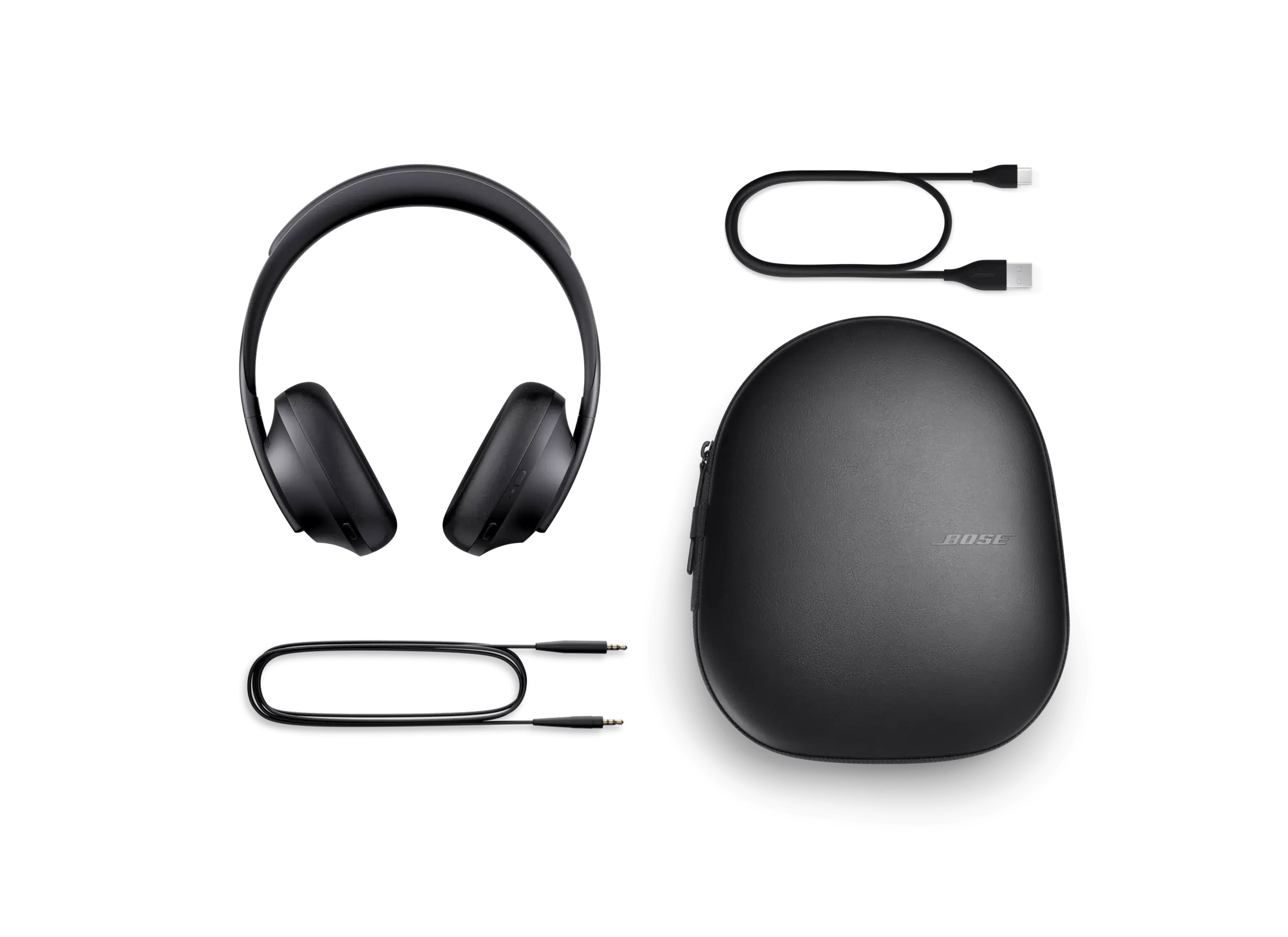
What’s in the Box
- Bose Noise Cancelling Headphones 700
- Audio cable
- USB-C charging cable
- Carrying case
- Quick start guide
While both provide world-class noise cancelling, high-quality audio performance, and a comfortable fit, there are a few key differences. QuietComfort 45 Headphones have 2 modes of noise cancellation — Quiet Mode and Aware Mode. Bose Headphones 700 offer more customization, with 11 levels of noise cancelling. Bose Headphones 700 also offer the convenience of capacitive touch controls and hands-free access to Amazon Alexa, Google Assistant, and your phone’s native voice assistant, like Siri. For battery life, you’ll enjoy up to 22 hours with QuietComfort 45 Headphones and up to 20 hours with Bose Headphones 700.
Bose Noise Cancelling Headphones 700 use both active and passive noise reduction technologies. Active noise cancelling relies on a sophisticated proprietary electronics approach using microphones both inside and outside the earcups to monitor the sounds around you and instantly produces an opposite signal to cancel the noise. Meanwhile, passive noise reduction is achieved by the combination of the acoustic structure and the earcup fit.
Bose Noise Cancelling Headphones 700 feature our proprietary TriPort acoustic headphone structure, which uses external ports to vent the earcups and maximize the acoustic space inside, so your audio content sounds big and bold.
Bose Noise Cancelling 700 feature a total of eight microphones. Six microphones dramatically cancel noise, so it doesn’t reach your ears. Two of those microphones combine with two others to dramatically improve voice pickup. A beamform-array isolates your speech, suppressing everything else that’s audible. A rejection-array adds a second line of defense, tracking then blocking the most disruptive remaining sound, from a coffee grinder to other dialogue nearby. It all happens in real time, adapting as you move or your environment changes. It works with any VPA, any phone paired to the 700s, or any phone or phone/headphone combination on the far-end.
Yes. Bose Noise Cancelling Headphones 700 have an adaptive microphone system that allows you to use the headphones during calls when connected to any smartphone. In addition to traditional calls, the headphones will work with many apps that use Voice over Internet Protocol (VoIP), such as Skype or FaceTime.
First, make sure your headphones are turned on with a single press of the upper button on the back of the right earcup. Next, press and hold the power button for 3 seconds to put the headphones into pairing mode. Please note, if this is your first time connecting the headphones, they will automatically turn on right into this pairing mode. Voice prompts will provide you with additional guidance. We recommend you use the Bose Music app to complete the pairing process, however, you can also use the Bluetooth settings on your device.
Yes. Multi-point technology allows Bose Headphones 700 to maintain a wireless Bluetooth connection to two devices at the same time — for example, an iPad and a smartphone. So while you’re watching video on the connected iPad, the headphones will automatically pause the video to answer a call from the connected smartphone. When the call is finished, the headphones switch back to the video on the iPad.
Bose Noise Cancelling Headphones 700 have a range of up to 30 ft (9 meters) from the source device. It is realistic to describe the range as being the room the user is in and the adjacent room. This range may be reduced by physical obstructions, such as walls and doors, or by interference from other electronic devices. Pops or a crackling noise may be heard if there’s interference with the Bluetooth connection. If that happens, move away from wireless routers or microwaves and bring your headphones closer to the Bluetooth device.
Bose Noise Cancelling Headphones 700 use a custom-designed lithium-ion rechargeable battery that provides up to 20 hours of full-featured audio playback.
The front half of the right earcup houses our touch interface for basic controls. This includes intuitive gestures like slide up and down for volume control and slide forward and back for track forward/back controls. In additional, a double tap will pause or play your content and also answer or hang up a call.
Bose Headphones 700 also give you two options when it comes to audio EQ. Do nothing and the bass, midrange, and treble of whatever you’re listening to will be adjusted automatically to make it sound great. Or choose Equalizer in the settings of the Bose Music app to change the audio levels yourself to however you like them best. Either way, you’ll enjoy immersive sound at any volume.
Bose Headphones 700 are carefully engineered to be compatible with future innovations. Through a series of software updates, Bose plans to add new features and even more impressive sound management features over time. Simply register your new headphones on the Bose Music app and Bose will alert you as each new feature becomes available.
Bose Noise Cancelling Headphones 700 utilize a hidden pivot design to quickly fold flat with one twist of the earcups, and store neatly in a thin, tapered hard case. Inside the case, there is a dedicated cable management compartment with a magnetic cover. This design improves ease of use and utility, while the thin wedge shape also facilitates storage in tight locations, including seat pockets, backpacks, and bags.
Spotify Tap is a special feature that lets you instantly listen to your last Spotify session by tapping and holding the right earcup on the Bose Headphones 700. You can keep repeating this step to get brand new playlists based off of Spotify’s algorithm and your listening history. An active Spotify account is needed to use this feature.
To start using this feature, you’ll need to download the latest version of the Bose Music app and update your Bose Noise Cancelling Headphones 700. Then enable Spotify under Shortcuts in the Bose Music app. You will also need an active Spotify account.
Using the lower button on the back of the right earcup, Bose Headphones 700 give you access to your phone’s default virtual assistant, like Siri.
Use the Bose Music app to set up one of our voice assistant partners. It will guide you through the setup process, allowing you to set up an integrated button access feature that will automatically connect to your voice assistant app.
The Bose Music app will guide you to select from a given region’s available features. For regions where only one is available, the app will automatically display the one you can select. In regions where neither is available, the voice assistant button will default to the native voice assistant available on your mobile device.
Once you’ve set it up, just press and release the voice assistant button and start talking. Alexa can help you manage your music and get things done — like start a playlist, play a favorite song, order products from Amazon, and control Alexa-enabled devices in your home. It can help you get notifications from Alexa about when your Amazon order has shipped. You can ask things like:
“Alexa, play ’90s pop.”
“Alexa, read a book from Audible.”
“Alexa, add milk to my shopping list.”
Once you’ve set it up, to access Google Assistant, simply press and hold the voice assistant button to talk, and release it when you’re done. Google Assistant will read you your notifications, like an audio lock screen. Google Assistant also provides you with proactive notifications, such as an incoming text message, a meeting reminder, and many others. You can have Google Assistant expand on these notifications with a single press or reject them with a double press. You can ask for things like:
“Tell me the latest news.”
“Call Thomas.”“Set a timer for 35 minutes.”
“Add olive oil to my shopping list.”